

The Dyson DC44 Animal vacuum’s motor head brush bar plays a critical role in effective cleaning, but when it stops spinning, performance plummets. Whether caused by debris buildup, mechanical wear, or electrical faults, resolving this issue requires a methodical approach. This guide walks you through diagnosing and fixing common problems, along with maintenance strategies to prevent future malfunctions. Readers will gain actionable insights into troubleshooting steps, model-specific quirks, and when to seek professional help.
Affiliate disclosure: As an Amazon associate, We'll earn a commission for every successful order through our affiliate links in the article. However, you won’t be charged anything for this.
By the end of this article, you’ll understand how to identify blockages, test motor functionality, replace worn components, and maintain optimal vacuum performance. We’ll also cover battery resets, electrical connection cleaning, and Dyson’s warranty options, ensuring you have a complete toolkit to tackle the problem.
Identifying Common Culprits Behind Motor Head Malfunctions
Several factors can disrupt the Dyson DC44’s motor head operation:
- Obstructions: Hair, threads, or debris around the brush bar or hidden inside the roller assembly often prevent rotation.
- Worn Components: A frayed drive belt or damaged brush bar bristles reduce efficiency and may halt spinning entirely.
- Motor Failures: Overheating due to clogged air paths or internal motor damage can disable the brush bar.
- Electrical Issues: Loose wiring, damaged connectors, or a faulty micro switch interrupt power delivery to the motor.
- Dirty Contacts: Dust buildup on electrical contacts between the canister and motor unit disrupts connectivity.
Recognizing these causes early streamlines troubleshooting and minimizes downtime.
Step-by-Step Repair Process
Initial Inspection and Basic Checks
- Power Off and Detach: Turn off the vacuum, unplug it, and remove the motor head.
- Manual Brush Bar Test: Spin the black spiral connector by hand. If it resists movement, debris or internal damage is likely.
Deep Cleaning the Brush Head
- Disassemble the Roller: Use a Phillips screwdriver to remove the brush bar. Inspect the interior for trapped debris using needle-nose pliers.
- Clear Obstructions: Cut away hair or threads with scissors. Clean the spiral connector and housing with a lint roller or cloth.
- Reassemble and Test: Reinstall the brush bar, reconnect the motor head, and power on the vacuum. Listen for a hum—if the bar still won’t spin, proceed to mechanical checks.
Testing Motor Functionality
- Check Airflow Path: Remove the dust bin and filter. Wipe down the interior to eliminate clogs that may trigger overheating.
- Inspect Wiring: Examine wires leading to the motor for fraying or disconnection. Secure loose connections or replace damaged cables.
- Battery Reset: For cordless models, remove the battery, discharge residual power by holding the power button for 20 seconds, then recharge and test.
Replacing Worn Components
- Drive Belt: Replace if cracked or stretched. Align the new belt around the motor spindle and brush bar, ensuring even tension.
- Brush Bar: Install a replacement if bristles are worn or the roller is damaged. Secure screws tightly to prevent misalignment.
Cleaning Electrical Contacts
- Detach the canister from the motor unit using the release button.
- Dampen a Q-tip with rubbing alcohol and clean contacts inside the canister, extension tube, and brush head.
- Allow contacts to dry completely before reassembling and testing.
DC44 Animal-Specific Troubleshooting Techniques
The DC44 Animal model may exhibit unique behaviors:
– Upside-Down Spin Test: If the brush spins freely when inverted but stalls upright, check for internal misalignment or minor obstructions in the housing.
– Micro Switch Repair: Disassemble the brush head to access the micro switch. Replace or bypass the switch if it fails to trigger the motor.
Assessing Battery and Power Delivery
A weak battery or disrupted power flow can mimic mechanical failures:
– Battery Health: Ensure the battery is fully charged. If performance deteriorates rapidly, consider a replacement.
– Listen for Motor Sounds: A silent motor suggests an electrical fault, while a hum without rotation points to mechanical issues.
If the battery isn’t holding a charge or drains quickly, it may be time for a replacement.
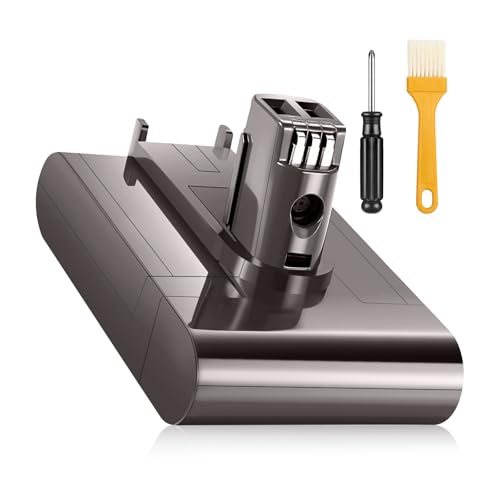
High-capacity lithium-ion replacement for extended runtime
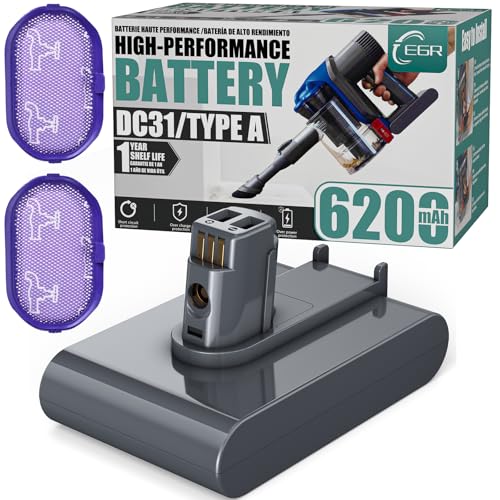
Upgraded capacity with non-slip design for stability

Certified safety features with 365-day warranty

Budget-friendly option with multi-safety certifications
Preventative Maintenance for Optimal Performance
Regular upkeep extends the DC44’s lifespan and prevents recurring issues:
- Monthly Cleaning: Remove hair and debris from the brush bar after each use. Clean air filters every three months.
- Proper Storage: Store upright to avoid pressure on the roller; avoid extreme temperatures.
- Preventive Measures: Use Dyson’s hair tool to clear fibers before vacuuming. Empty the dust bin frequently to maintain airflow.
Frequently Asked Questions (FAQ)
How do I know if my brush bar is blocked?
Spin the black spiral connector manually. Resistance or stiffness indicates debris buildup inside the roller or around the bearing.
Can a clogged air path cause the motor to stop?
Yes. A blocked filter or dust bin restricts airflow, causing the motor to overheat and shut down.
What tools are essential for fixing the motor head?
A Phillips screwdriver, scissors, replacement drive belt, and rubbing alcohol for cleaning contacts are critical.
Is the DC44 Animal brush head compatible with other models?
No. The DC44 Animal’s motor head is model-specific; ensure replacements match your vacuum’s specifications.
Does Dyson’s warranty cover motor head repairs?
Upright Dyson models, including the DC44, come with a 5-year warranty. Contact Dyson support for eligible repairs or replacements.
Conclusion
A non-spinning Dyson DC44 motor head often stems from preventable issues like debris buildup, worn components, or electrical faults. By following this guide’s step-by-step repairs and maintenance tips, users can restore optimal performance and extend their vacuum’s lifespan. For unresolved mechanical or motor failures, Dyson’s warranty and support team provide additional resources. Regular cleaning, timely part replacements, and proper storage ensure your DC44 remains a reliable cleaning companion for years to come.





