

When your Dyson vacuum displays blinking blue lights and refuses to turn on, it can be frustrating, especially after a full charge. This comprehensive guide covers the most common causes of this issue in Dyson V7 and V8 models and provides detailed solutions to get your vacuum working again.
Affiliate disclosure: As an Amazon associate, We'll earn a commission for every successful order through our affiliate links in the article. However, you won’t be charged anything for this.
The blinking blue light typically indicates several possible problems: battery issues, blockages in filters or cyclones, poor connections, overheating, or internal electrical faults. With the right approach, many of these problems can be resolved at home without professional help.
Common Causes Behind the Blinking Blue Light
Battery Problems: The Primary Culprit
When your Dyson vacuum shows a blinking blue light and won’t turn on, a faulty battery is often the cause. You might notice the vacuum runs briefly before stopping or displays a red flashing light with 12 or more flashes.
To address battery issues:
Replace the battery with a genuine Dyson product or high-quality alternative from a reputable seller. Many replacement batteries come with the necessary screws.
Reset the battery by connecting the vacuum to the charger for a few seconds.
Test the battery output using a multimeter. A properly functioning battery should read 24-25V when triggered.
Replacing the battery can often resolve the blinking blue light issue. Ensure you choose a compatible and reliable replacement.

Genuine Dyson V8 battery with extended runtime and cordless convenience

High-capacity replacement with 7000mAh and dual filter protection

Maximum runtime with 8000mAh capacity and triple filtration system

Balanced performance with 6500mAh capacity and dual filter protection
How to Replace Your Dyson Battery:
- Remove the bin by pressing the red catch twice
- Use a Phillips screwdriver to remove the screw securing the battery compartment
- Lift out the old battery
- Insert the new battery
- Secure with screws
- Reattach the bin, ensuring the tab aligns under the front rim
Always disconnect the vacuum from power before performing this procedure.
Clogged Filters and Cyclones: A Common Issue
When filters or cyclones become clogged, your Dyson may display three blue lights when you press the power button, or it might run briefly before shutting down.
Filter Maintenance Solutions:
- Dry a wet filter completely before use. You can:
- Place it in a dryer for 10-15 minutes on a gentle setting
-
Air dry it for 48 hours in a well-ventilated area
-
Properly wash the filter:
- Turn off and unplug the vacuum
- Remove the clear dust bin
- Detach the bin top by pressing the latch
- Remove the filter(s)
- Wash by hand in cold water, gently squeezing to remove dirt
-
Ensure the filter is completely dry before reinstalling
-
Clean the cyclone array using compressed air to blow out dust and debris
-
Inspect the entire airflow path for small obstructions like cardboard pieces, feathers, or stones
-
Empty the bin regularly – never let it exceed the maximum level indicator as this obstructs the cyclone
Connection and Electrical Issues
Poor connections can prevent your Dyson from charging properly, resulting in the blinking blue light problem.
Connection Troubleshooting:
- Check the charger connection – ensure it fits securely into the vacuum
- Try direct charging if you normally use a docking station
- Clean the charging contacts on both the battery and charger using a soft, dry cloth
- Inspect the charger cable for damage like cuts or splits that might affect power delivery
If the charger cable is damaged, it will need to be replaced to ensure proper charging.
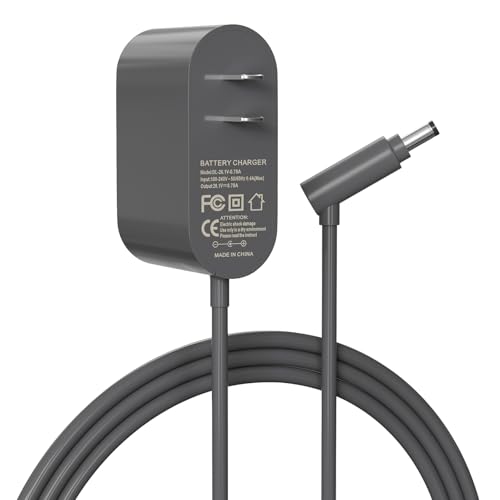
Budget-friendly replacement with 1-year warranty
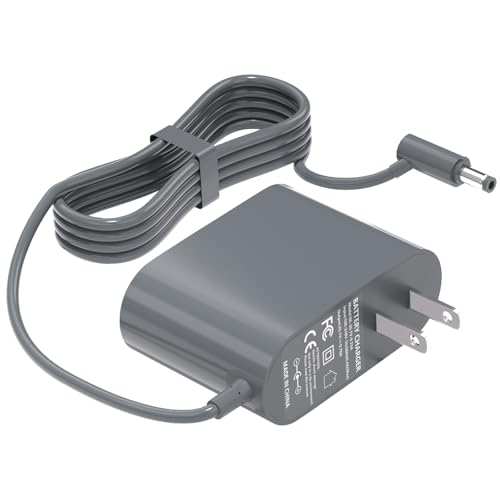
CE/FCC certified for safety and reliability
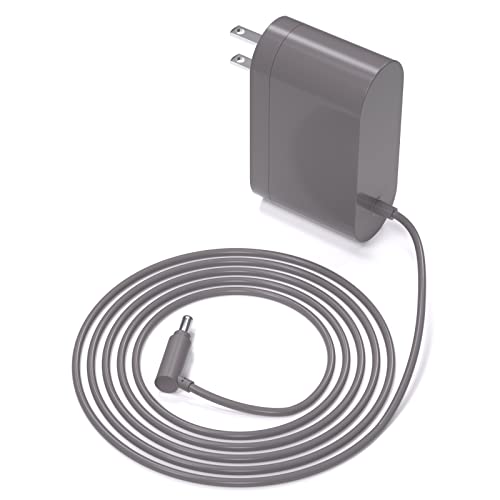
UL listed with extended 365-day warranty
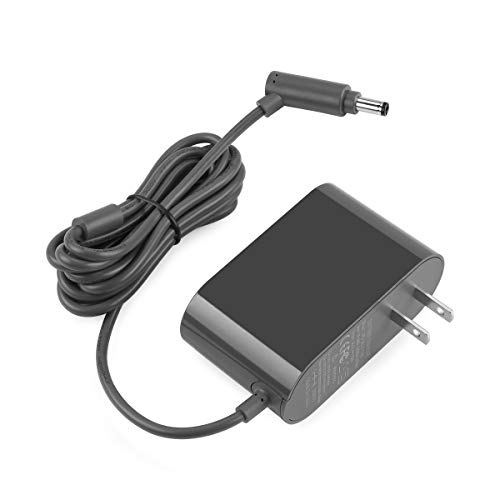
6FT cable length with CE/FCC certification
Step-by-Step Troubleshooting Guide for Specific Problems
Resolving Overheating Issues
If your Dyson turns off during operation and displays a blinking blue light, the thermal safety system may have activated.
- Allow cooling time – let the vacuum cool for at least one hour before attempting to use it again
- Verify component fit – ensure the dust bin and filters are properly installed and secured
- Check for blockages that might restrict airflow and cause overheating
Addressing Temperature-Related Problems
Dyson vacuums operate within specific temperature ranges:
- Flashing amber (7 flashes) indicates the vacuum is too cold
- Solid amber (8 flashes) means the battery is too hot
Solution: Move the vacuum to an environment with a temperature between 3°C and 40°C before powering on.
Clearing Blockages in the Wand and Brush Bar
Wand Blockage:
- Disconnect the wand from both ends
- Look through it to identify any debris
- Use a long, thin object to carefully remove blockages
Brush Bar Blockage:
- Remove the motor head
- Use a flat-headed tool or coin to remove the brush bar cap
- Extract the brush bar
- Remove any trapped hair or string
- Reassemble all components
Diagnosing Internal Electrical Faults
If your vacuum continues to show a blinking blue light after trying other solutions, the issue might be with the circuit board.
- Open the vacuum and inspect the circuit board for visible damage
- Test components such as the MOSFET (M13C30) and capacitors
- Replace faulty components if you have the technical skills to do so
- Contact Dyson support for professional diagnosis and repair if you’re uncomfortable with internal repairs
Preventative Maintenance to Avoid Future Problems
Regular Cleaning Routine
Establish a consistent maintenance schedule to prevent issues:
- Clean the filter monthly (or more frequently with heavy use)
- Empty the bin after each use or when it reaches the maximum fill line
- Check for blockages in the wand, brush bar, and cyclone regularly
- Inspect the battery contacts for dust or debris
- Use compressed air periodically to blow out the cyclone array and internal components
Proper Storage and Charging Practices
- Store in moderate temperatures between 3°C and 40°C
- Fully charge before long-term storage
- Use the wall-mounted dock for convenient storage and charging
- Disconnect from the charger once fully charged if not using for extended periods
Frequently Asked Questions (FAQ)
Why does my Dyson vacuum run for only a few seconds before stopping?
This typically indicates a blockage in the filters or cyclone, or a failing battery. Clean all filters thoroughly, check for blockages in the airflow path, and ensure the battery is properly charged. If the problem persists, the battery may need replacement.
How often should I clean my Dyson vacuum filter?
Dyson recommends cleaning filters monthly for normal household use. If you frequently vacuum fine dust or use high suction settings for extended periods, clean the filters more often. Always ensure filters are completely dry before reinstalling.
Is it worth replacing the battery in my Dyson vacuum?
Yes, replacing the battery is often cost-effective compared to buying a new vacuum. Many users report that installing a new battery resolves the blinking blue light issue and restores full functionality. Choose genuine Dyson batteries or high-quality alternatives from reputable sellers.
How can I tell if my Dyson battery needs replacement?
Signs of a failing battery include: the vacuum running for significantly shorter periods than when new, the vacuum not turning on despite being charged, red flashing lights (especially 12+ flashes), and the vacuum shutting down shortly after starting. A multimeter test showing voltage below 24V also indicates battery problems.
Can I use my Dyson while it’s charging?
No, Dyson cordless vacuums are designed to be used only when disconnected from the charger. This is a safety feature and attempting to use the vacuum while charging could damage internal components.
Conclusion
The blinking blue light on your Dyson vacuum is typically a signal of specific issues that can often be resolved through proper troubleshooting. By following the steps outlined in this guide, you can identify and fix many common problems, from battery issues to blockages and electrical faults.
Regular maintenance—including filter cleaning, bin emptying, and blockage checks—can prevent many of these issues from occurring. If your troubleshooting efforts don’t resolve the problem, contacting Dyson’s customer support is recommended, especially if your vacuum is still under warranty.
With proper care and maintenance, your Dyson vacuum should provide years of reliable service, making the investment in repairs or replacement parts worthwhile compared to purchasing a new unit.





