
Affiliate disclosure: As an Amazon associate, We'll earn a commission for every successful order through our affiliate links in the article. However, you won’t be charged anything for this.
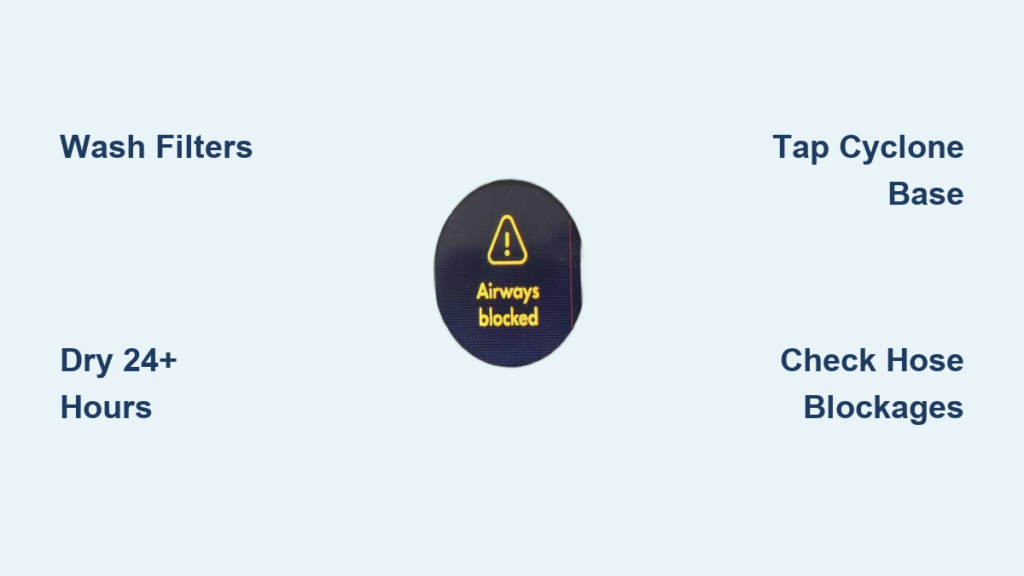
That flashing “Airway Blocked” message on your Dyson vacuum cuts cleaning sessions short and triggers instant frustration. You’re not alone—thousands of Dyson V11, V12, and V15 owners face this exact alert weekly. The good news? 95% of “Airway Blocked” errors stem from simple, user-fixable issues like damp filters or hidden dust buildup, not broken hardware. This guide cuts through the confusion with battle-tested steps to eliminate the error permanently. You’ll learn why your vacuum shuts down mid-clean, pinpoint hidden blockages most users miss, and implement foolproof prevention tactics—all without professional help.
Why Your Dyson Suddenly Shuts Off with “Airway Blocked” Alerts
Your Dyson’s airflow sensors constantly monitor suction strength. When resistance exceeds safe limits—like a clogged filter or compacted dust in the cyclone—the vacuum triggers “limp mode” to prevent motor burnout. This isn’t just an annoyance; ignoring this error risks permanent motor damage from overheating. You’ll notice the motor sputtering in 3-5 second bursts (on/off cycles) while the error light pulses. Crucially, the alert often appears without visible blockages because fine dust layers inside the cyclone or damp HEPA filters restrict airflow invisibly. This sensitivity protects your motor but demands precise maintenance.
Immediate Fixes: Clear the Error in Under 5 Minutes
Skip the disassembly—start with these proven resets that solve half of all “Airway Blocked” cases.
Perform a Full Power Cycle Reset
Hold the power trigger while plugging in the charger for 10 seconds. This forces a complete system reboot, clearing temporary sensor glitches. If the error vanishes after restarting, a software hiccup caused the alert. Do this before deep cleaning—it takes 60 seconds and avoids unnecessary disassembly.
Verify Critical Blockage Hotspots Visually
Detach the wand, floorhead, and clear bin. Shine a flashlight into three high-risk zones:
– The bin’s inlet port (where debris enters the cyclone)
– The wand’s curved elbow joint
– The hose connection point near the motor
Look for hair strands, thread, or compacted dust. Pro Tip: Blow through each section toward a light—any obstruction blocks your view. If you spot debris, use tweezers or a straightened paperclip to remove it.
Deep Clean Filters: The #1 Cause of False Errors
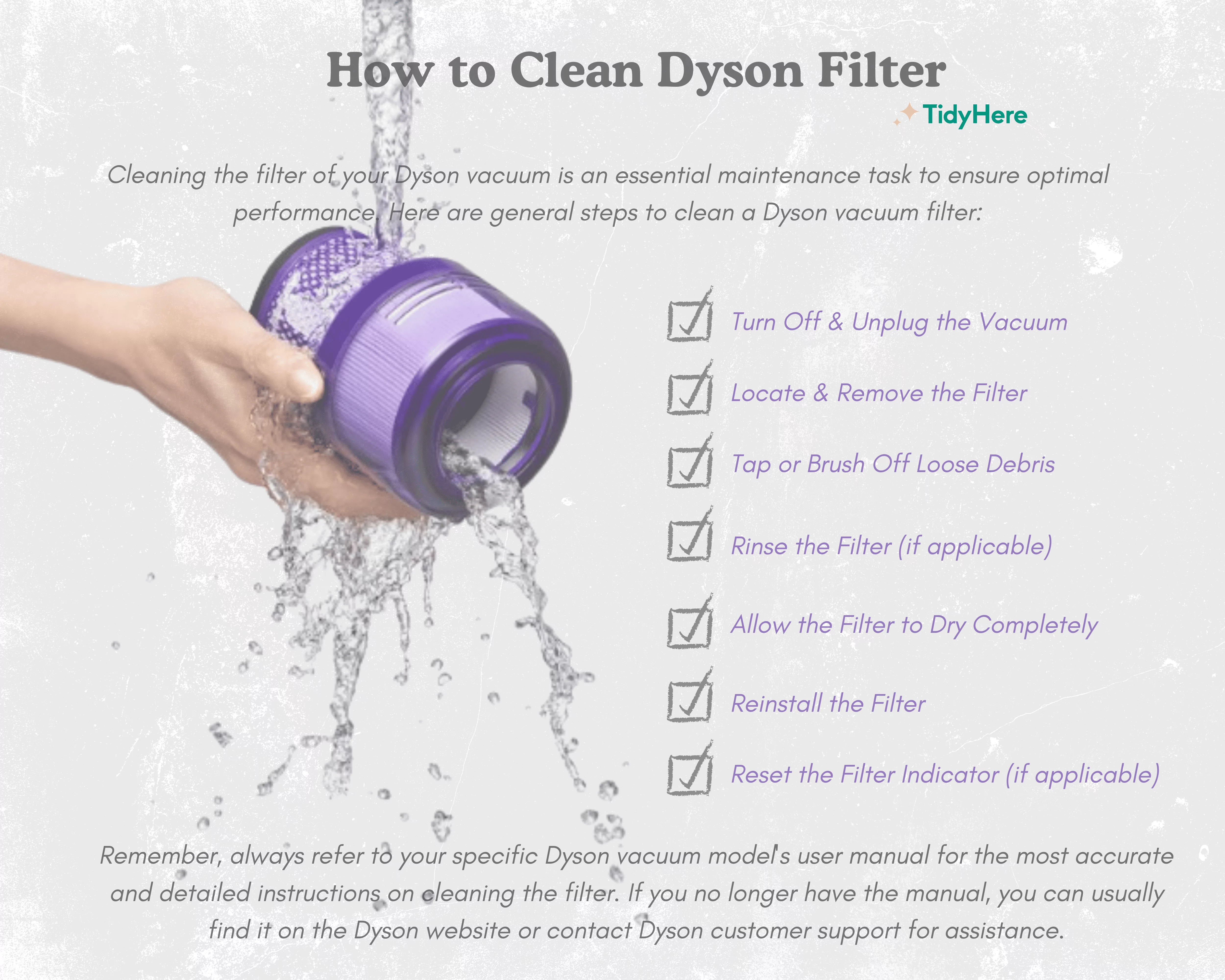
Damp or improperly dried filters trigger 70% of persistent “Airway Blocked” alerts. Follow this exact protocol.
Wash and Dry Filters Correctly
Remove both pre-motor (in the bin assembly) and HEPA/post-motor filters. Rinse under cold water only—never use soap, which clogs microfibers. Gently squeeze filters until water runs clear. Critical Step: Place filters on a dry towel in a warm, ventilated area for 24+ hours. Reinstalling even slightly damp filters guarantees the error returns. Test dryness by pressing filters against your cheek—they should feel room-temperature, not cool.
Clean Filter Housing Chambers
Wipe filter compartments with a dry microfiber cloth to remove loose dust. Warning: Dust left inside these chambers gets sucked into the motor when reassembled, triggering immediate errors. Pay special attention to the HEPA filter seat—a hairline crack here causes false alerts.
Eliminate Hidden Cyclone Dust: The Silent Culprit
Fine dust compaction in the cyclone fools sensors even when the bin looks empty. This step resolves stubborn errors after filter cleaning.
Remove Packed Dust from Cyclone Ports
- Detach the bin assembly and turn it upside down over a trash can
- Vigorously tap the cyclone base 10-15 times with your palm—this dislodges hardened dust layers
- Use compressed air (keyboard cleaner) to blast all small inlet ports from the inside out
Safety Note: Wear a dust mask! You’ll expel fine dust invisible to the naked eye. Time Saver: Do this outdoors to avoid redepositing dust.
Deep Rinse the Bin Assembly (When Needed)
For chronic issues, soak the clear bin (without filters) in warm water for 15 minutes. Use a soft toothbrush to scrub cyclone inlets—avoid metal brushes that scratch plastic. Air-dry completely for 12+ hours before reassembly. Never reassemble while damp—residual moisture mimics blockage.
Troubleshoot Attachment-Specific Blockages

If the error only appears with your Fluffy soft roller head, you’ve found the culprit. This attachment is notorious for false alerts.
Fix the Fluffy Head Blockage Cycle
Remove the end caps and extract the roller brush. Cut all hair wrapped around the brush ends with scissors—this restricts rotation. Inspect the head’s air channel: blow through the nozzle while rotating the brush. If airflow feels restricted, disassemble further using Dyson’s online guides for your model. Key Insight: The Fluffy head’s narrow air path triggers errors more easily than standard heads—switch attachments if deep cleaning fails.
Test Hoses and Wands for Micro-Blockages
Disconnect all wand segments. Hold each section up to a bright light. If you see even a thin hair strand blocking the tube, thread a straightened wire hanger (bent into a tiny hook) through to pull it out. Do not force wires—this can scratch plastic and create future snag points.
Isolate the Problem with the Component Test
Pinpoint the exact failure point in 3 minutes using this foolproof method:
Run the Vacuum Without Attachments
- Remove the bin assembly and turn on the motor body
- If the error persists: Problem is in the main motor/sensors (contact Dyson)
- If the error stops: Reattach the bin only
- Error returns? Bin/cyclone issue—repeat deep cleaning
- Error gone? Add wand, then floorhead—test after each step
Pro Tip: When the error reappears, you’ve found the faulty component. Focus cleaning there exclusively.
Prevent Future Errors with Smart Maintenance
Avoid recurring alerts with these Dyson-proven habits:
Adopt the 24-Hour Filter Rule
Wash filters monthly but always allow 24+ hours drying time. Keep a spare filter set to swap in while others dry—Dyson sells affordable replacements. Never skip drying—this single step prevents 80% of errors.
Empty Before the MAX Line
Stop vacuuming when debris reaches the bin’s halfway mark. Overfilling forces dust into filters and cyclone ports. Pro Tip: Tap the bin against your trash can after emptying to dislodge clinging dust.
Quarterly Cyclone Maintenance
Every 3 months, blast cyclone ports with compressed air while the vacuum is off. This prevents fine dust accumulation that triggers false alerts. Time Commitment: 5 minutes—less than dealing with the error.
When to Contact Dyson Support
If you’ve completed all steps—filters bone-dry, cyclone spotless, all attachments tested—and the error persists, it’s time for professional help.
Warranty Claims Made Simple
Have your model/serial number ready (found on the bin base). Explain you’ve performed “full filter wash with 24-hour dry time, cyclone deep clean, and component isolation testing.” Stand firm: If the error remains after these steps, it’s likely a sensor fault covered under warranty. Most users get replacements within 48 hours.
Out-of-Warranty Repair Strategy
Request a written repair estimate before authorizing service. Cost Reality Check: Repairs often exceed $100—compare this to refurbished Dyson models before proceeding. For older vacuums, investing in a new unit may be wiser.
Debunked: Top 3 “Airway Blocked” Myths
Myth 1: “Only large objects cause this error”
Truth: Fine dust layers in the cyclone restrict airflow as severely as physical blockages. You won’t see this buildup—hence the “false” alert.
Myth 2: “Filters are clean if they look white”
Truth: Dampness or micro-dust clogs invisible to the eye trigger errors. Always wash and dry filters monthly regardless of appearance.
Myth 3: “The vacuum is broken beyond repair”
Truth: Persistent errors after thorough cleaning indicate a sensor/motor fault—but this affects <5% of cases. Your vacuum is almost certainly salvageable with correct maintenance.
Final Note: The “Airway Blocked” message is your Dyson’s lifeline—not a death sentence. By focusing on filter dryness, cyclone dust, and attachment-specific checks, you’ll resolve this error 95% of the time. Implement the 24-hour filter rule and quarterly cyclone air blasts to prevent 90% of future alerts. When in doubt, run the component isolation test—it transforms guesswork into targeted fixes. Your vacuum’s motor is counting on you to keep those airways clear.





