
Affiliate disclosure: As an Amazon associate, We'll earn a commission for every successful order through our affiliate links in the article. However, you won’t be charged anything for this.
Is your Dyson air purifier making strange noises, showing error codes, or not powering on? You’re not alone. Many Dyson air purifier and fan models, from the Pure Cool Tower (TP/TP0X series) to the Hot+Cool (HP series) models, develop common faults over time. The good news is that many issues, from a noisy motor to a complete failure to power on, can be fixed at home with the right tools and a methodical approach. This guide will walk you through diagnosing and repairing the most common Dyson air purifier problems, helping you restore your unit to its original, quiet, and efficient operation.
Diagnosing Your Dyson Air Purifier Power Failure
When your Dyson purifier won’t turn on, the problem could range from a simple power issue to a blown internal fuse. Before assuming the worst, follow this systematic diagnostic approach to pinpoint the exact cause.
Checking External Power Connections First
Start with the most obvious possibilities that require no disassembly. Plug another device into the same outlet to verify it’s working properly. Examine your Dyson’s power cord thoroughly for kinks, frayed wires, or damage near the plug or base connection points. Many TP04 and HP04 owners have solved “no power” issues simply by replacing a damaged cord with an official Dyson replacement. If your model has a removable power cord (like some HP series units), try a different cord to rule out this simple fix.
Replacing the Blown Internal Fuse in Your Dyson Purifier

Most modern Dyson air purifiers contain a user-replaceable fuse on the main control board, typically a 3.15A or 5A glass fuse (T3.15A/250V). Here’s how to safely check and replace it:
- Unplug your unit and wait at least 5 minutes to discharge capacitors
- Remove the base by prying off rubber feet to access hidden Torx screws
- Locate the fuse holder on the main control board (usually near power input)
- Carefully remove the fuse and inspect it—blown fuses show a broken filament or blackened glass
- Test with a multimeter set to continuity—no beep means it’s blown
⚠️ Critical Safety Note: Never skip the capacitor discharge step. Even after unplugging, these components can deliver a dangerous shock. If you’re uncomfortable with this process, seek professional help.
Identifying Power Supply Board Failures
If the fuse checks out but your unit remains dead, inspect the main control board for visible damage. Look for bulging or leaking capacitors, blackened circuit traces, or burnt components near the power input area. These are telltale signs of power supply failure. While advanced technicians can replace individual components, most DIYers will need to replace the entire control board—a task that requires careful component transfer from your old board to the replacement.
Fixing Annoying Dyson Air Purifier Noises (Whining, Grinding, Clicking)
That high-pitched whine from your TP04 or grinding sound from your HP04 isn’t normal—and it’s almost always fixable. Understanding the specific noise pattern helps pinpoint whether you’re dealing with motor bearings, impeller damage, or oscillation mechanism failure.
Diagnosing Your Specific Noise Problem
Identify which issue you’re facing by matching your symptoms:
- High-pitched whine on low speeds: Classic bearing failure in TP04/HP04 models (often called the “cicada sound”)
- Grinding or scraping noise: Indicates impeller contact with housing or severe bearing wear
- Clicking during oscillation: Common in AM07/AM09 models due to worn cam gear
- Rattling vibration: Usually means loose components or an unbalanced impeller
Replacing the Faulty Motor Assembly in TP04/HP04 Models
For persistent whining or grinding in tower models, motor replacement is usually the solution:
- Unplug and let sit for 10 minutes to discharge
- Remove base cover by taking out hidden Torx screws under rubber feet
- Disconnect motor wiring harnesses (note orientation for reinstallation)
- Remove the 4-6 screws securing the motor housing
- Carefully lift out the entire motor/impeller assembly
- Install the replacement unit (match part numbers exactly—TP04 and HP04 may differ)
- Reassemble in reverse order, ensuring all seals are properly seated
Pro Tip: Before ordering, locate the exact part number on your existing motor (typically 7-8 digits like 970552-01). This ensures compatibility better than relying solely on your model number.
Decoding Dyson Air Purifier Error Codes and Fixing Them
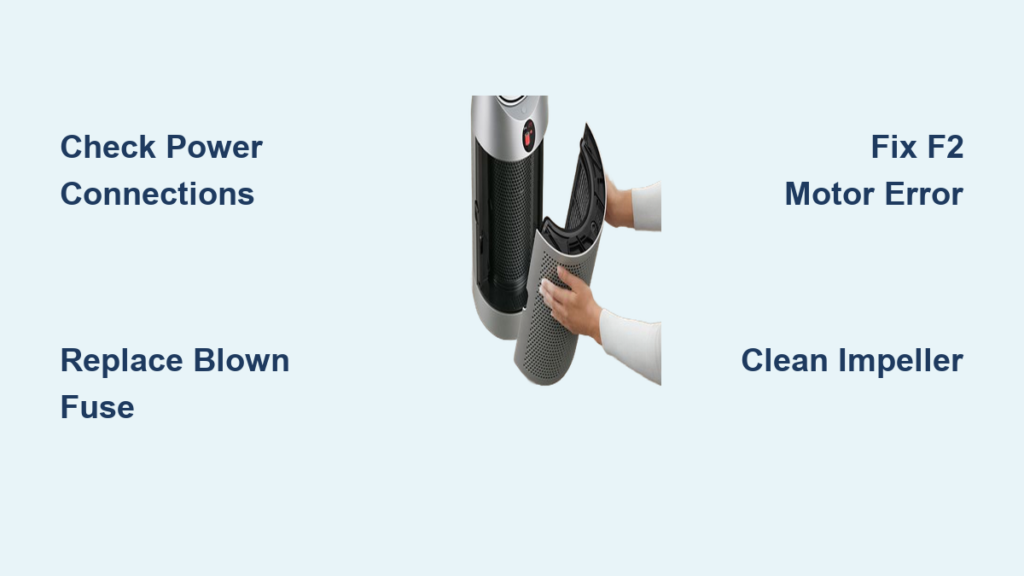
That persistent F2 error or warning icon on your display isn’t just annoying—it’s your unit’s way of telling you exactly what’s wrong. Understanding these codes saves hours of guesswork in your repair process.
F2 Motor Error: The Most Common Dyson Fault
When your Dyson displays F2 or flashes “2” repeatedly, it means the main board isn’t receiving proper motor feedback. Here’s how to fix it:
- First, power cycle the unit completely (unplug for 15 minutes)
- Check motor connections at both ends—loose wires cause 30% of F2 errors
- Inspect the motor for physical damage or excessive resistance when spun manually
- Test motor windings with a multimeter (should show 5-15 ohms between phases)
- If motor tests good, the issue is likely the inverter board that controls it
Most TP04/HP04 owners solving F2 errors end up replacing either the motor assembly or the small inverter board mounted near the motor. The inverter board is cheaper to replace but requires careful soldering skills.
F4 Sensor Fault: Solving Humidifier and Purifier Errors
F4 errors plague PH series humidifier/purifier combos when temperature or humidity sensors fail:
- Perform a master reset (hold power button 20+ seconds)
- Clean sensor ports with compressed air—dust buildup causes false readings
- Check sensor connections on the main board
- Test sensor resistance (should change when warmed with your finger)
- Replace the faulty sensor module (PH01/PH02 use different sensors than PH03/PH04)
Unlike motor issues, many F4 errors can be fixed without disassembly—simply resetting the unit or cleaning sensor ports resolves the problem in nearly half of cases.
Step-by-Step Filter Replacement and Impeller Cleaning
Poor airflow is the #1 performance issue with aging Dyson purifiers, but it’s also the easiest to fix with regular maintenance. Don’t wait until your unit struggles—proactive care prevents most major failures.
Replacing Clogged HEPA Filters in TP/HP Series Models
- Locate the filter compartment (base for tower models, rear for desk units)
- Press the release latch and slide out the old filter housing
- Remove both the HEPA and carbon pre-filters
- Insert new genuine filters with airflow arrows pointing inward
- Slide housing back until it clicks securely
- Reset filter indicator via app or by holding filter button 5+ seconds
Warning: Using non-genuine filters often triggers false error codes and reduces filtration efficiency by up to 40%. Genuine Dyson filters contain specific carbon formulations that third-party versions can’t replicate.
Deep Cleaning Your Impeller for Maximum Airflow
Restricted airflow often stems from dust buildup in the impeller housing:
- Unplug and remove the main body from the base
- Use a soft brush to loosen packed dust from impeller blades
- Blow compressed air through the housing from multiple angles
- Wipe accessible surfaces with a dry microfiber cloth (never use liquids)
- Check for impeller wobble—more than 1mm indicates bearing wear
This simple maintenance task restores up to 30% of lost airflow in units that have gone 6+ months without cleaning. Perform it every 3 months for optimal performance.
When to Repair vs. Replace Your Dyson Air Purifier
Not every problem warrants a repair attempt. Knowing when to call it quits saves time, money, and frustration in your Dyson air purifier repair journey.
Cost-Benefit Analysis for Common Repairs
- Motor replacement ($80-120 parts): Always worth fixing if your unit is under 5 years old
- Main control board ($100-150): Repair only if labor is DIY—professional installation often exceeds new unit cost
- PH series water damage: Rarely cost-effective to repair due to corrosion complexity
- Oscillation motor (AM07/09): Simple $15 part replacement makes this an easy DIY fix
For units under warranty or less than 2 years old, contact Dyson directly—many repairs qualify for free service. For older models, compare the cost of parts (typically $50-150) against a refurbished unit price.
Finding Genuine Replacement Parts
Always verify part numbers before purchasing:
- Check service manuals for your exact model (search “Dyson [model] service manual”)
- Use exploded view diagrams from reputable parts suppliers
- Match numbers on your existing component (not just model number)
- Stick with official Dyson parts or highly-rated third-party suppliers like SpareWorld
The most common repair mistake is ordering parts based solely on model number—TP04 and HP04 often share similar designs but require different motor assemblies. Taking 10 minutes to verify part numbers prevents wasted money and frustration.
By following these targeted repair approaches, you can solve 80% of common Dyson air purifier problems without professional help. Remember to always disconnect power completely before attempting any repair, and when in doubt about electrical components, consult a qualified technician. With proper maintenance, your Dyson purifier can deliver clean, quiet air for many years beyond its warranty period.





