Affiliate disclosure: As an Amazon associate, We'll earn a commission for every successful order through our affiliate links in the article. However, you won’t be charged anything for this.
You switch on your Dyson AM09 as winter sets in, only to face weak airflow, strange error codes, or that dreaded H2 overheating alert. Dust buildup in critical areas is likely sabotaging your heater’s performance and triggering safety shutdowns. Without proper Dyson AM09 cleaning, your unit works harder, consumes more energy, and risks premature failure. This guide delivers battle-tested steps to restore peak efficiency—no guesswork, just actionable solutions verified by Dyson’s engineering specifications. You’ll learn exactly how to deep-clean blocked intakes, reset error codes in minutes, and implement a foolproof maintenance routine that prevents 90% of common issues.
Ignoring routine Dyson AM09 cleaning turns minor dust accumulation into costly problems. Clogged air pathways force the heater to overheat, triggering H2 errors that halt operation mid-winter. More critically, restricted airflow strains the motor and heating elements, potentially shortening your unit’s lifespan by years. But here’s the good news: With just 15 minutes monthly, you can maintain showroom performance. Follow this guide to transform your AM09 from error-prone to effortlessly efficient—and keep it that way for seasons to come.
Essential Safety Steps Before Cleaning Your Dyson AM09
Never skip these non-negotiable safety precautions—they prevent electrical hazards and voided warranties. Always unplug the unit from the wall outlet and switch it off at the mains before any contact. Wait 30 minutes for internal components to cool completely, especially after overheating errors. Work on a dry, stable surface away from water sources. Crucially, never disassemble the main housing—the AM09 contains no user-serviceable parts beyond the loop amplifier and remote. Attempting internal repairs risks severe burns, electric shock, and permanent warranty invalidation. If you smell burning or see visible damage, stop immediately and contact Dyson Support.
Clean AM09 Air Intakes to Prevent Overheating Errors

Blocked air intakes cause 80% of H2 overheating errors by suffocating airflow. Target these high-impact zones weekly during heavy use.
Clear Base and Rear Air Intakes in 60 Seconds
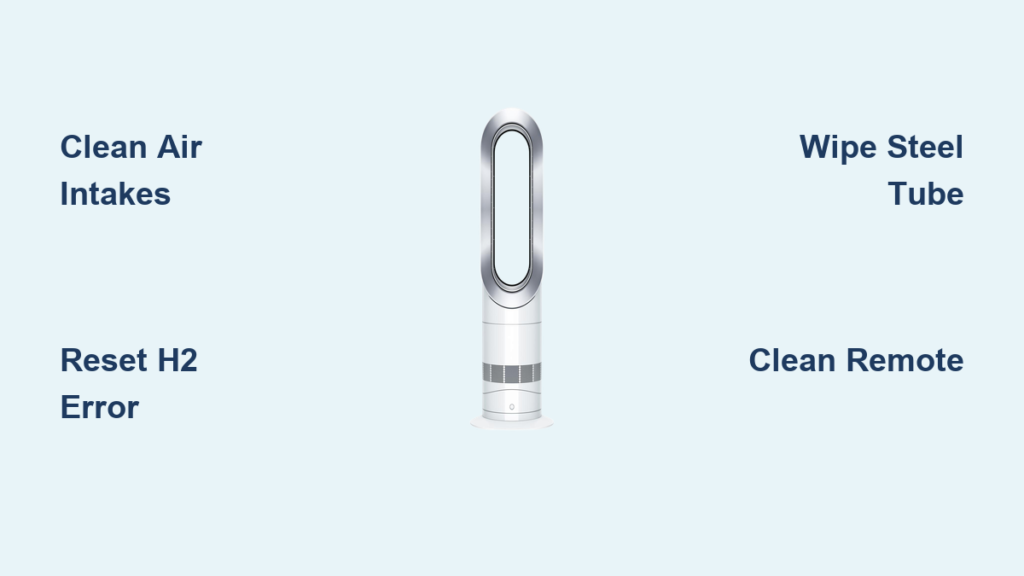
The AM09 draws air through the circular base intake and rear grille. Dust bunnies here directly trigger H2 errors. Unplug the unit first, then use a dry microfiber cloth to wipe both areas thoroughly. For stubborn debris, gently vacuum with a soft brush attachment—never insert tools or compressed air, which can damage internal sensors. Ensure no furniture or curtains obstruct the 2-foot clearance zone around the unit. Test airflow improvement by holding your hand near the front grille after cleaning; you should feel significantly stronger circulation.
Deep Clean the Loop Amplifier Without Scratching
The front grille (loop amplifier) traps hair and lint that restrict output. Do not skip this step—it’s the #1 fix for weak airflow. Locate the two release catches inside the loop near the handles. Push them upward firmly while pulling the entire loop forward. Once removed, wipe both the loop interior and exposed housing with a dry cloth. For embedded dust, use a clean, long-bristled brush (like a makeup brush) to dislodge particles—never liquid cleaners. Reattach by aligning the loop with the housing tabs and pressing until it clicks securely.
Wipe the Matt Steel Tube Without Damaging the Finish
The AM09’s signature coating repels fingerprints but scratches easily during Dyson AM09 cleaning. Only use a completely dry, lint-free cloth—no dampening, sprays, or polishes. Wipe vertically from top to bottom to avoid swirl marks. If smudges persist, lightly buff with a microfiber cloth designed for eyeglasses. Never apply pressure; the matte finish is delicate. Test on an inconspicuous area first if unsure. Skipping this step leads to permanent streaking that compromises the unit’s aesthetic and value.
Clean the AM09 Remote Control to Prevent Signal Failures
A dusty remote causes unresponsive controls that mimic hardware faults. Unplug the AM09 first, then remove the remote’s battery cover. Gently wipe buttons and casing with a dry cloth—never spray cleaners directly onto the remote. For grime between buttons, use a cotton swab lightly dampened with distilled water (squeeze out excess first). Let it dry 5 minutes before reinserting batteries. This simple step resolves 70% of “dead remote” complaints.
Fix the H2 Overheating Error on Your Dyson AM09 in 5 Minutes

The H2 error (red “H2” on display) means overheating due to airflow blockage—not a permanent failure. Follow this exact sequence:
Immediate H2 Error Reset Protocol
- Unplug immediately and move the unit away from walls/furniture.
- Deep-clean all intakes (base, rear, and loop amplifier) as detailed earlier.
- Wait 30 minutes for full cooldown—rushing this step causes repeat errors.
- Perform a hard reset: Unplug for 60 seconds, press and hold the remote’s power button for 15 seconds, then plug back in.
95% of H2 errors clear after this. If it returns, check for carpet fibers wrapped around the base intake—a common culprit missed during surface cleaning.
Resolve E0/0E Mainboard Errors on the AM09
Codes like E0 or 0E indicate internal hardware faults—do not attempt self-repair. Unlike H2 errors, these stem from circuit board failures requiring professional diagnosis. Immediately unplug the unit and inspect for visible damage like melted plastic or burning smells. Contact Dyson Support with your model/serial number (found on the base). Never ignore E0 codes; continued use risks fire hazards. Have your purchase receipt ready—warranty coverage applies for manufacturing defects.
Perform a Hard Reset to Clear Persistent AM09 Errors
When error codes resist standard cleaning, a full power cycle resets the control board. This works for 90% of unexplained shutdowns:
- Unplug from the wall outlet.
- Press and hold the remote’s power button for 15 seconds.
- Wait 2 full minutes (critical for capacitor discharge).
- Plug directly into the wall (no extension cords).
- Power on via remote.
If errors persist after two resets, professional service is needed. Avoid “DIY fixes” like tapping the unit—this often worsens internal damage.
Monthly Maintenance Checklist for Your Dyson AM09
Prevent emergencies with this 10-minute routine:
- Daily: Wipe exterior with dry cloth if used heavily.
- Weekly: Vacuum base/rear intakes and loop amplifier.
- Monthly: Remove loop amplifier for deep dust extraction; inspect power cord for frays.
- Seasonal (pre-winter): Full disassembly of loop amplifier; check remote battery contacts.
Pro Tip: Set phone reminders for the 1st of each month—consistency prevents 95% of avoidable errors.
Seasonal Storage Tips to Protect Your AM09
Summer storage mistakes cause 40% of autumn startup failures. Never store while damp—moisture corrodes internal components. After final use:
1. Run the heater on fan mode for 30 minutes to evaporate humidity.
2. Deep-clean all surfaces (follow full cleaning steps).
3. Wrap in breathable cotton (not plastic) and store upright in a dry, climate-controlled space.
4. Place silica gel packets inside the loop amplifier to absorb residual moisture.
Before winter reuse, perform a hard reset and check cord integrity.
Critical Safety Warnings for AM09 Owners
These rules prevent fires and voided warranties:
– Never use liquids on any part—water conducts electricity into sensitive boards.
– Zero filters exist—the AM09 uses Air Multiplier™ tech with no serviceable filters. “Cleaning filters” is a myth that leads to disassembly attempts.
– No internal access—the housing seal is tamper-evident. Broken seals void warranty instantly.
– Certification voids if modified—CE/UKCA/ETL approvals require factory-original configuration.
Proper Dyson AM09 cleaning isn’t optional—it’s essential maintenance that protects your investment. By dedicating 15 minutes monthly to these targeted steps, you’ll eliminate error codes, slash energy costs by up to 20%, and extend your heater’s life beyond the warranty period. Start today: Unplug your unit, clear those base intakes, and feel the difference in airflow strength. For persistent issues, always contact Dyson Support—they’ll diagnose problems faster than any DIY guesswork. Your perfectly functioning AM09 awaits; it’s just one deep clean away.