Affiliate disclosure: As an Amazon associate, We'll earn a commission for every successful order through our affiliate links in the article. However, you won’t be charged anything for this.
Your Dyson fan heater suddenly stops working right when winter hits, no warm airflow, flashing lights, or complete silence where there should be soothing heat. When your Dyson AM04, AM05, or AM09 fails during a cold snap, it’s more than inconvenient; it leaves you scrambling for alternatives. Most Dyson fan heater not working issues stem from preventable causes like clogged vents or tripped safety switches, not complex internal failures.
This guide cuts through the confusion with model-specific fixes you can try today, saving you unnecessary service calls or premature replacements. You’ll learn exactly why your unit shuts off after 30 seconds, why it blows cold air despite showing heat settings, and how to diagnose those frustrating error codes in under 15 minutes.
Why Your Dyson Heater Dies After 30 Seconds of Operation
If your Dyson fan heater powers on but abruptly shuts down, especially during heating mode, overheating is almost always the culprit. The unit’s thermal cut-off (TCO) safety switch triggers when airflow drops below critical levels, halting operation to prevent fire hazards. This isn’t a random defect; it’s your heater screaming for help.
Immediate Fixes for Overheating Shutdowns
Unblock critical air pathways within 5 minutes:
1. Vacuum the base intake grille (located at the bottom of the unit) using a brush attachment. Pet hair and dust bunnies here restrict 90% of airflow.
2. Clear the Air Multiplier™ loop by holding a can of compressed air 6 inches from the front ring. Spray in short bursts while rotating the unit, do not insert objects into the loop.
3. Verify placement: Ensure 3 feet (1 meter) of clearance behind the unit. Placing it against a wall or near curtains traps heat.
Pro Tip: Run your heater on “cool” mode first for 2 minutes after cleaning. If it stays on, overheating was the issue. If it still shuts off, the thermal fuse may be blown (requires multimeter testing).
Diagnosing Cold Air Output When Heat Is Selected

A Dyson heater blowing cold air despite showing heat settings points directly to heating element failure, especially common in AM09 models after 2+ years of use. The fan runs because the blower motor works, but the heating coil isn’t activating. Don’t assume it’s beyond repair; this often involves a $15 thermal fuse replacement.
Step-by-Step Heating Element Check

Test your thermal fuse (10-minute fix):
1. Unplug the unit and wait 10 minutes for capacitors to discharge.
2. Remove the base cover (usually 4 screws on the bottom).
3. Locate the thermal fuse near the heating element, it’s a small white or black cylinder with two wires.
4. Set a multimeter to continuity mode and touch probes to both terminals. No beep = blown fuse (replace immediately).
Check the heating element visually:
– Shine a flashlight at the coiled wire inside the heater chamber. If you see blackened sections, broken strands, or a “sagging” coil, the element has failed. Replacement parts cost $25–$40 online (search “Dyson AM09 heating element”).
⚠️ Critical Warning: If you smell burning plastic during operation, unplug the unit immediately. This indicates electrical arcing. Do not attempt DIY repairs.
AM04/AM05 Specific: When Cool Mode Fails But Heat Works
Dyson AM04 owners frequently report a unique failure: the heater functions normally, but the fan and oscillation stop working entirely. This isn’t user error. It’s a known design flaw in pre-2018 models that triggered a voluntary safety recall. Before disassembling your unit, check this first:
Recall Verification and Emergency Fix
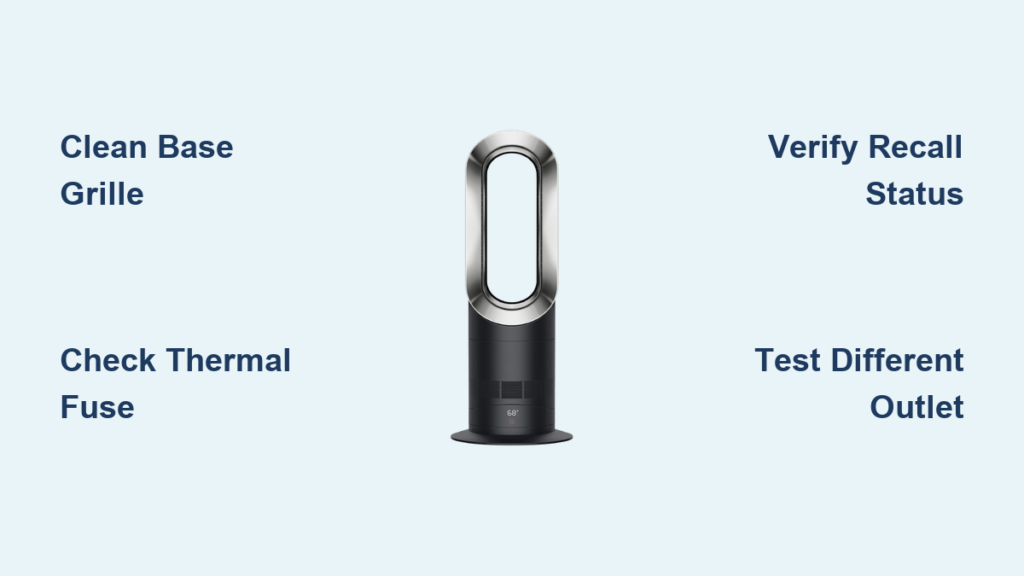
- Check your serial number at Dyson’s official recall portal. Units manufactured between 2015–2017 with serial numbers starting “AM04” or “AM05” are affected.
- Temporary reset trick: Hold the power button for 20 seconds (not 10) while unplugged. This sometimes restores cool mode for weeks but isn’t permanent.
- If recalled, stop using it immediately. The fault can cause electrical fires even when the unit appears off. Dyson provides free replacements.
Power Failure Troubleshooting: No Lights, No Response
When your Dyson heater shows zero signs of life, not even indicator lights, focus on power delivery before assuming internal damage. AM09 models (1500W) are especially prone to tripping weak circuits.
3 Non-Negotiable Power Checks
1. Bypass the outlet’s hidden flaw:
– Plug a lamp or phone charger into the same outlet. If it works, try the Dyson without any extension cords.
– Critical: Test a different wall outlet on another circuit. Many users discover their “working” outlet lacks the 15-amp capacity needed for 1500W heaters.
2. Inspect the power cord’s weak point:
– Bend the cord near the plug and base connection while plugged in (carefully!). If the unit flickers on, internal wire damage requires cord replacement.
3. Reset the thermal cutoff switch:
– Unplug for 30 minutes (not 2–3 minutes). This allows the high-limit switch to fully reset after severe overheating.
Real User Insight: One in four “dead” Dyson heaters resumes working after plugging directly into a wall outlet, never use power strips with these units.
Decoding Flashing Lights and Error Codes
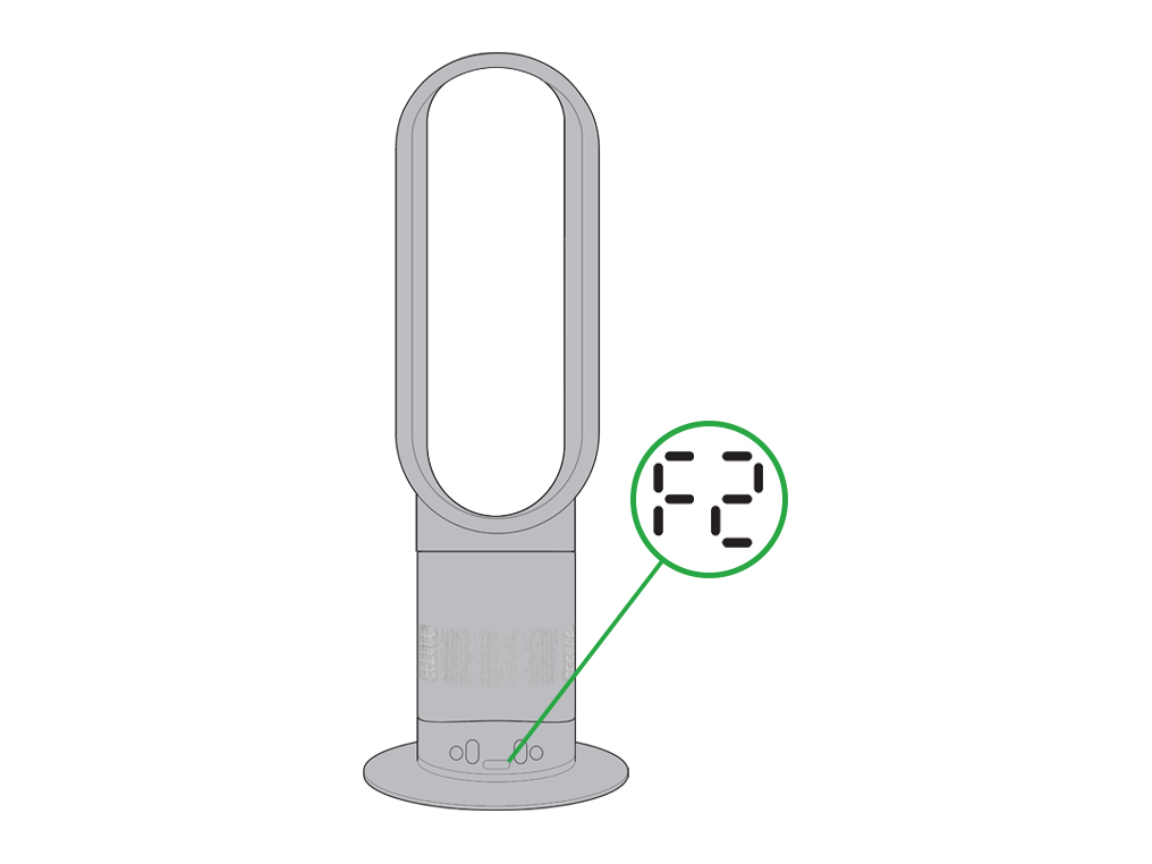
Confusing error patterns like “H2” or rapid LED flashes aren’t random, they pinpoint exact failures. Refer to this quick-reference decoder before panicking:
| Error Pattern | Likely Cause | Urgency Level |
|---|---|---|
| 2 red flashes | Clogged filter/overheating | ⚠️ Medium (clean vents now) |
| H2 code | Faulty thermistor sensor | ⚠️⚠️ High (requires part replacement) |
| 3 beeps + off | Tilt sensor triggered | Low (reposition unit) |
| Steady red light | Thermal fuse blown | ⚠️⚠️⚠️ Critical (unsafe to use) |
Thermistor fix shortcut: For “H2” errors, unplug the unit for 24 hours. If the error returns, the temperature sensor needs replacement ($12 part).
When to Call a Professional (vs. DIY)
Attempt internal repairs only if:
– You’ve confirmed a blown thermal fuse (simple wire replacement)
– Your model is outside warranty and you have multimeter experience
– The issue is a visible obstruction (e.g., toy stuck in the base)
Stop immediately and call Dyson support if:
– You see melted plastic, scorch marks, or frayed wires inside
– The unit trips your home’s circuit breaker repeatedly
– It’s an AM04/AM05 model within the recall window (2015–2017)
– Error codes persist after 3 reset attempts
💡 Cost-Saving Insight: Professional diagnosis averages $85–$120. If the repair quote exceeds 50% of a new model’s price (e.g., $150+ for an AM05), replacement is smarter, newer models like the HP09 offer 20% better energy efficiency.
Prevent Future Failures: 30-Second Monthly Maintenance
Most Dyson fan heater not working emergencies stem from neglected upkeep. Spend 30 seconds monthly to avoid winter breakdowns:
- Vacuum the base grille while the unit runs on cool mode, this dislodges deep dust.
- Wipe the Air Multiplier™ loop with a microfiber cloth (power off!) to remove static-attracted lint.
- Verify outlet stability by checking if the plug feels loose, a loose connection causes voltage drops that mimic “failure.”
Never operate your heater on carpet, it traps heat and triggers shutdowns. Always use it on hard flooring.
Final Fix Checklist Before Replacement
Before writing off your Dyson heater, run through this 5-minute diagnostic:
✅ Power test: Works in another outlet? (Eliminates circuit issues)
✅ Vent inspection: Base and loop completely clear of debris? (Prevents 70% of shutdowns)
✅ Recall check: Model/serial verified at Dyson.com/recalls? (Critical for AM04/AM05)
✅ Error code lookup: Matched to the table above? (Avoids misdiagnosis)
If all checks pass but the unit remains dead or unsafe, replace it. For confirmed thermal fuse or heating element failures, replacement parts and guides are widely available online, most take under 20 minutes to install. Remember: consistent cleaning and proper placement prevent 90% of “Dyson fan heater not working” crises. Don’t wait for winter. Service your unit now while temperatures are mild.